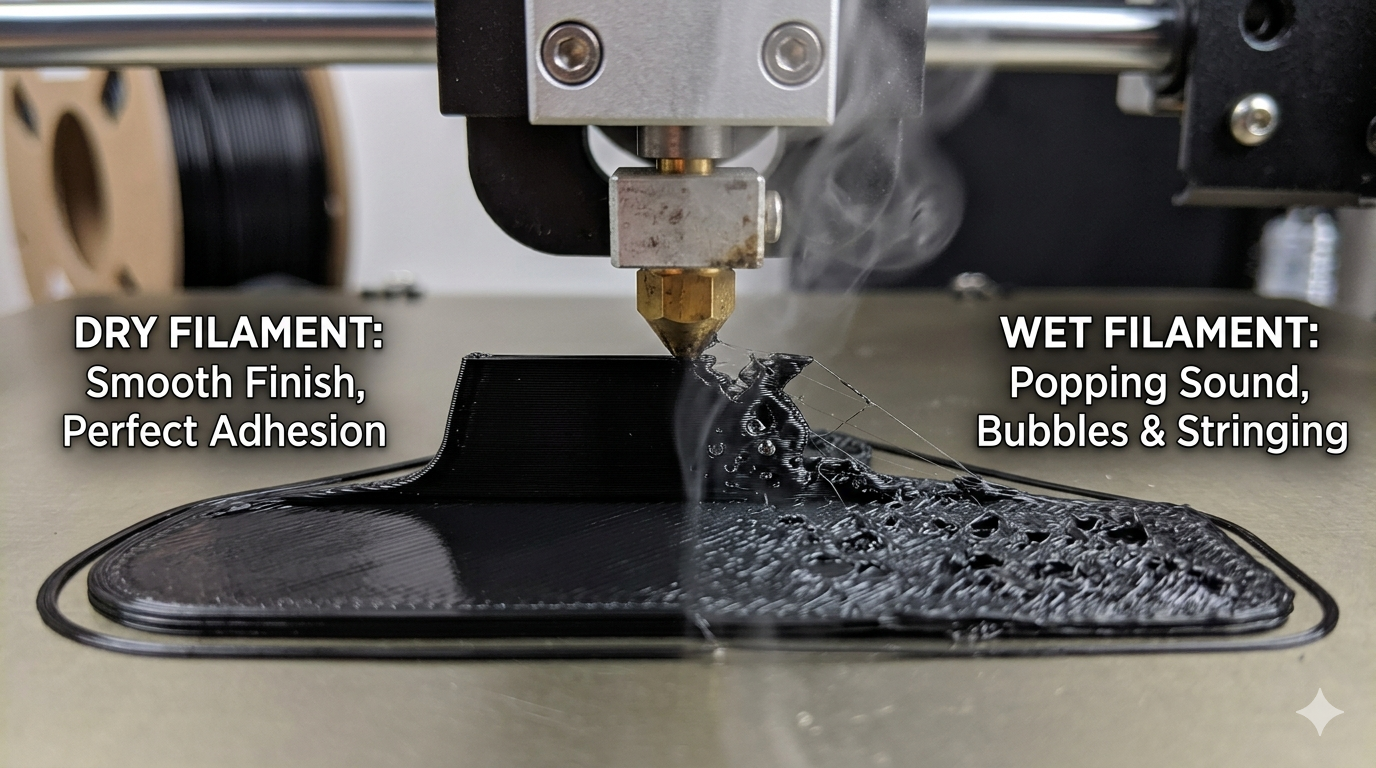
You just cracked the vacuum seal on a brand-new spool of PETG or Nylon. You assume it’s bone-dry and ready to go. But ten minutes into the print, you hear it: a faint pop, followed by a stringy mess that looks more like a cobweb than a 3D model.
The hard truth? New doesn’t always mean dry. Many manufacturers cool their filament in water baths before spooling, and vacuum bags can develop microscopic leaks during shipping. All 3D filaments are hygroscopic
If your prints are failing, look for these five tell-tale wet filament symptoms.
1. The Infamous "Snap, Crackle, and Pop"
If you hear popping sounds during printing, your filament is essentially boiling from the inside out.
The Reason: Moisture trapped inside the plastic turns into steam as it hits the 200∘C+ nozzle. That steam expands and "explodes" out of the tip, leaving tiny gaps in your extrusion.
2. Excessive Stringing and Oozing
Even with your retraction settings dialed in, wet filament will behave like liquid. Because the internal steam pressure pushes the plastic out of the nozzle constantly, you’ll see severe stringing between parts of your print. If you’ve tried every stringing fix in your slicer to no avail, the culprit is likely water.
3. Bubbles and Pits in the Surface Finish
Wet filament produces a "bubbly" or "foamy" texture on the outer walls. If your once-glossy PLA now looks matte or has tiny craters (pits) scattered across the surface, the water vapor is rupturing the smooth finish of your layers.
4. Poor Layer Adhesion and Brittle Parts
Water molecules chemically weaken the polymer chains in materials like Nylon and PETG (a process called hydrolysis). If your finished parts are snapping easily or the layers are delaminating with very little force, the structural integrity has been compromised by moisture.
5. Drastic Color Fading or "Cloudiness"
In transparent or translucent filaments, moisture often manifests as a cloudy or milky appearance. In solid colors, you might notice the pigment looks "washed out" or inconsistent as the steam alters the way light reflects off the plastic.
___________________________________________________________________________________
How to Fix It:
Step 1: Choose Your Drying Method
- Dedicated Filament Dryer: The "set it and forget it" option. These devices (like the Eibos or Sunlu series) provide constant, low-level heat and often have a port to print directly from the box while it dries
- The "Heated Bed" Hack: If you’re in a pinch, place the spool on your printer's heated bed, cover it with a cardboard box (with a few small vent holes at the top), and set the bed temperature to the material's drying spec.
- Dehydrator: A modified food dehydrator is often more effective than a cheap filament dryer because it has superior airflow. Just make sure you aren't drying beef jerky and PLA at the same time!
Step 2: Set the Correct Temperature
Drying filament isn't about "cooking" it; it's about staying just below the Glass Transition Temperature (Tg). If you go too high, the filament will soften and fuse together on the spool.
| Material | Drying Temperature | Recommended Time |
| PLA / PLA+ | 45∘C - 50∘C | 4–6 Hours |
| PETG | 60∘C - 65∘C | 6–8 Hours |
| ABS / ASA | 70∘C- 80∘C | 8+ Hours |
| Nylon (PA) | 80∘C-90∘C | 12+ Hours |
| TPU (Flexible) | 50∘C-55∘C | 6–10 Hours |
Step 3: Verify the Dryness
How do you know it's actually done?
- The Weight Test: If you have a high-precision kitchen scale, weigh the spool before and after drying. You’ll be shocked to see it lose several grams of "invisible" water weight
- The Purge Test: Load the filament and manually extrude 50mm. If it comes out silent, straight, and smooth without any steam or bubbles, you’re ready to print.
Step 4: Stop it from Happening Again
Once dry, the "clock" starts ticking again. In humid environments, Nylon can become "wet" again in as little as 4 to 6 hours.
- Use Desiccant: Store spools in airtight "dry boxes" with at least 50g of activated alumina or silica gel.
- Monitor Humidity: Toss a cheap digital hygrometer into your storage bin. You want the reading to stay below 15% humidity.
In conclusion:
Filament wetness can cause a multitude of problems, but is relatively easy to fix, once you know what the problem is,
If you have want to know how to find the best deals on 3D printing filament, go check out g3d.deals/products